
Would you like to request payment from your patients when they book an appointment online? Simply activate online payment. Activation is easy and takes around 15 minutes, which is the time needed to set up your Stripe account.
1. Access online payment
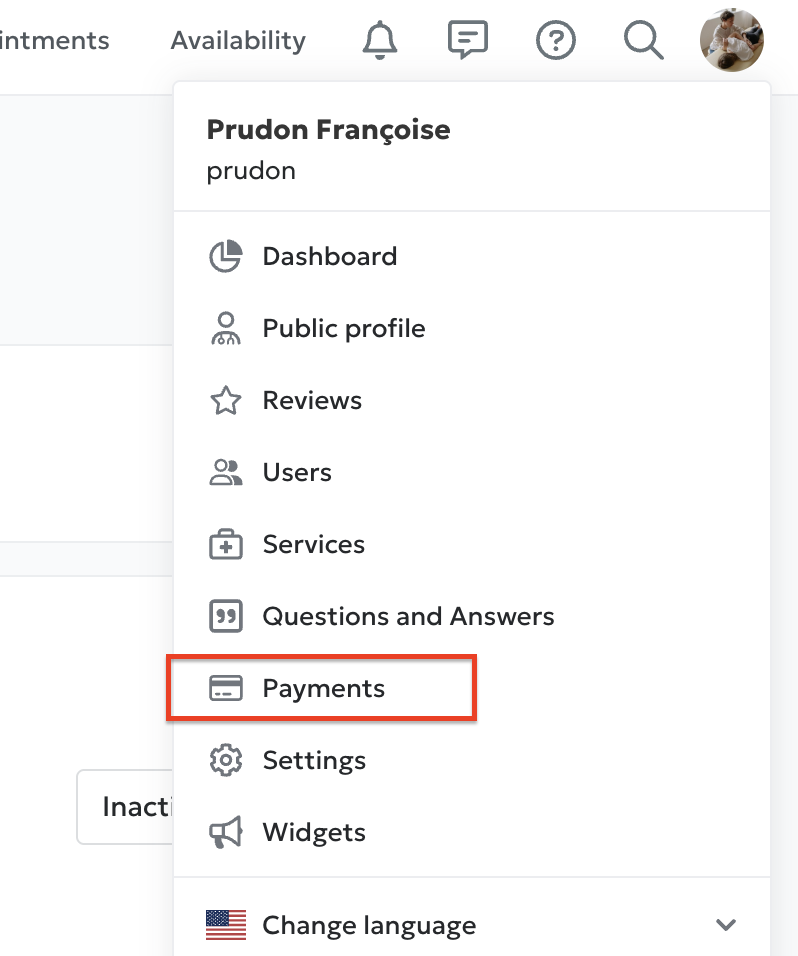
From the User Menu, select Dashboard, then click on Online payment.
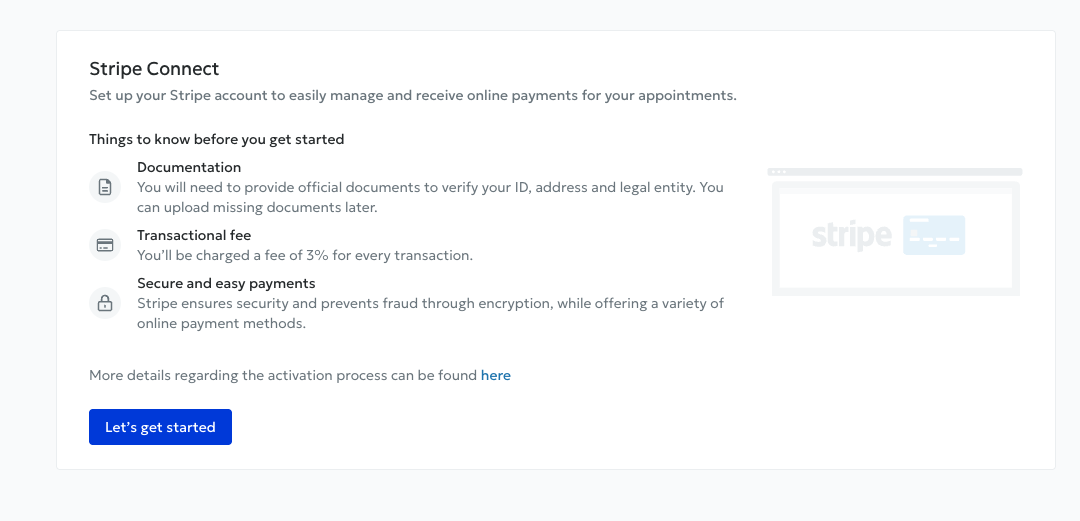
Then click Start. You will be guided through a two-part process to activate your Stripe account.
2. Set up your Stripe account
Follow the different steps provided by Stripe. You will be asked to enter certain information, including your entity type and IBAN, to specify the bank account where you will receive payments from your patients.
3. Final account verification
Once you have completed this information, there is just one final step: account verification.
You will be shown a summary of all the information you entered, which you can review or edit. You will then need to confirm your identity by providing supporting documents.
🎉 Your Stripe account is now created and you can use online payment.
4. Activate payment for your practice
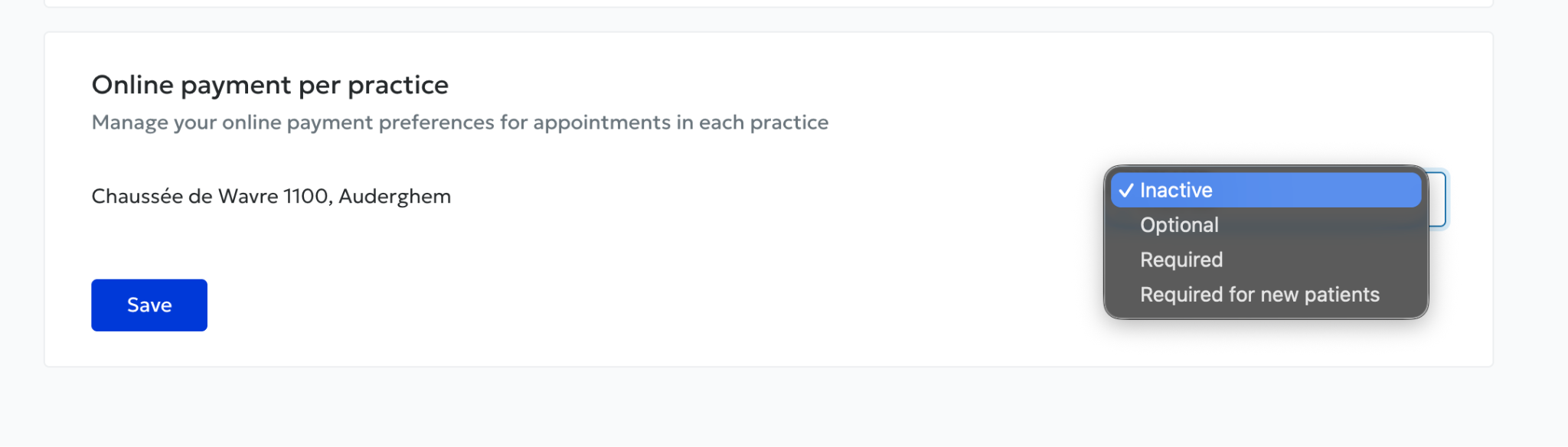
All that remains is to choose whether you want to activate online payment for your practice. You can do this from Payments → Payment methods :