
-
Access the Availabilitytab
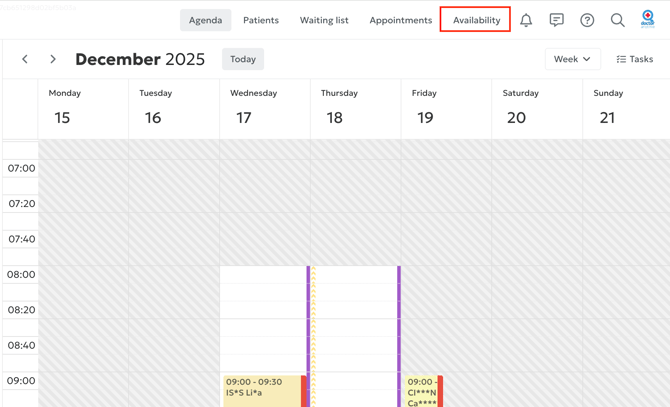
To begin, click on the Availability tab in the menu at the top of your agenda:
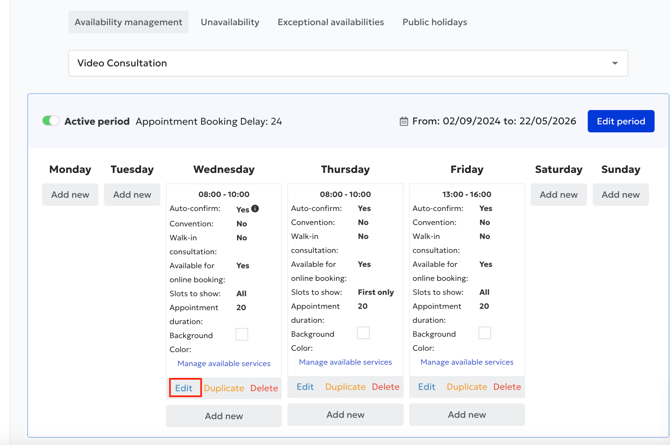
2. For each time slot, click on Edit to access the different settings.
3. Choose the confirmation type
You have two options:
Auto-confirmed for existing patients only
Select this option if you want:
-
existing patients to freely book this type of appointment,
-
new patients to require manual confirmation from you.
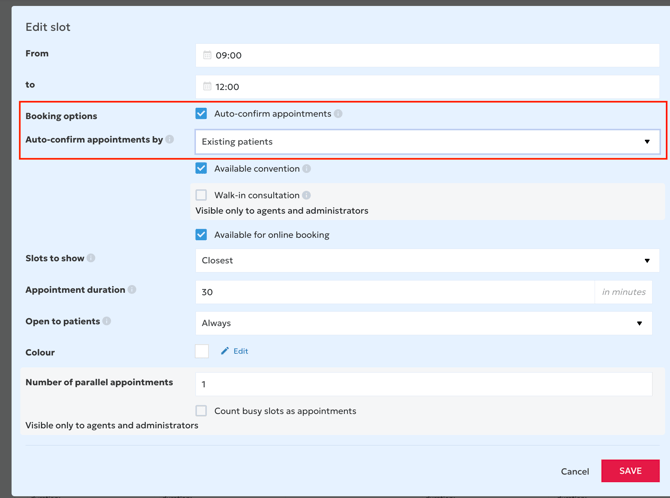
Auto-confirmed for new patients only
Select this option if you want:
-
new patients to be automatically accepted for this time slot,
-
to keep control (manual confirmation) for patients you already follow.

4. Save your changes
Once you’ve made your selection, don’t forget to save your settings so they are applied immediately.