Has something unexpected happened, meaning you need to cancel all your appointments for the day?
On Doctoranytime, you can cancel multiple appointments at once by adding unavailability to your agenda.
- Add unavailability for the day
- Log in to your Doctoranytime agenda.
- Go to the “Availability” tab at the top right of your agenda.
- Click “Unavailability” just above your practice address.
- Click the blue “Add new” button.
- Select the relevant practice.
- Enter the start date and time of your absence.
- Enter the end date and time of your absence.
For more information, see our article “How do I add unavailability to my Doctoranytime agenda?”.
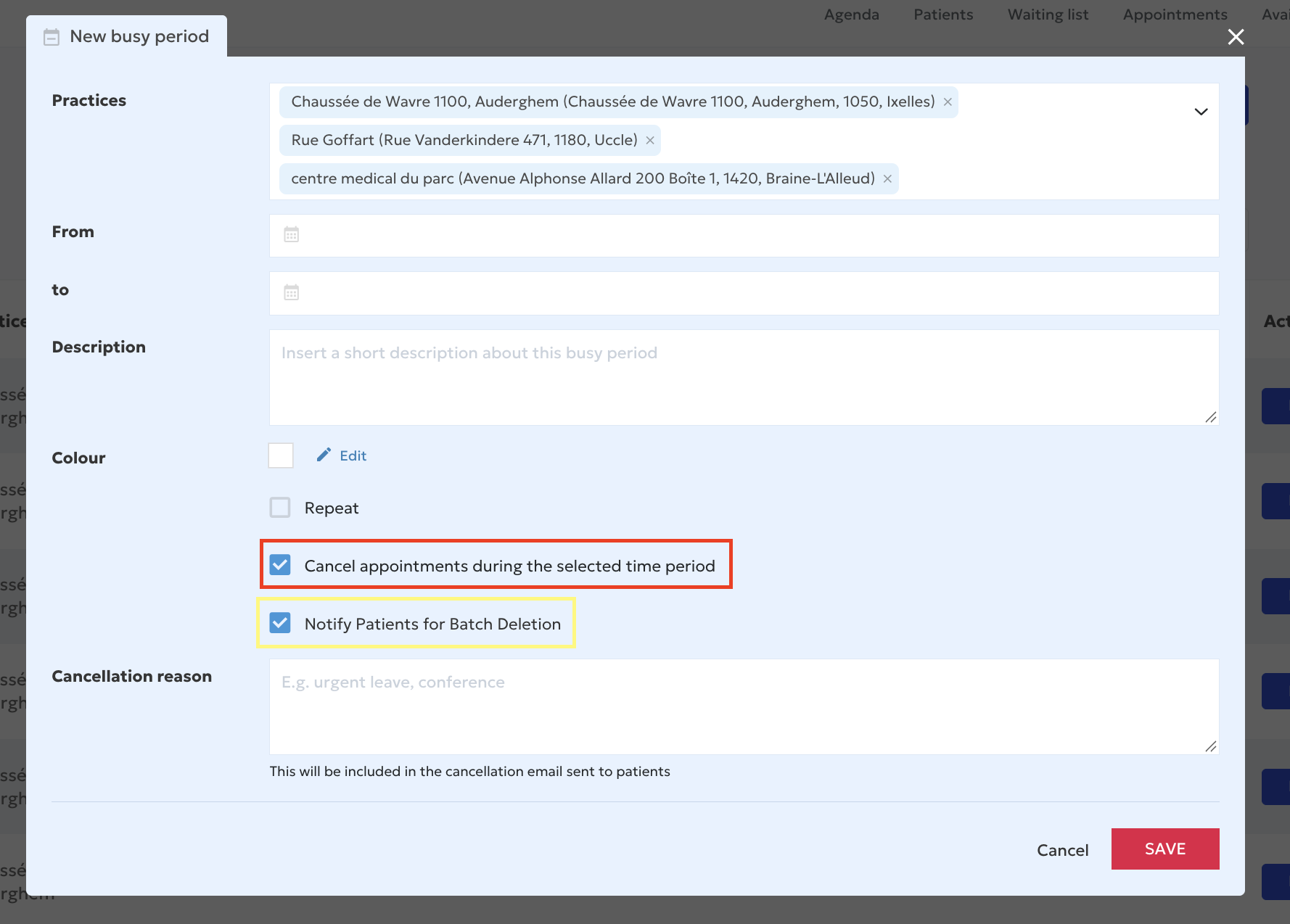
- Cancel all appointments during the selected period
Once you have entered the dates and times of your unavailability:
- Select “Cancel appointments during the selected period”.
- All appointments already scheduled during that period will then be selected for cancellation when you save the unavailability.
Important: this action cancels all appointments scheduled during the selected period. Carefully check the dates and times before saving.
- Automatically notify your patients
When you select the appointment cancellation option, a new setting appears: “Notify patients”.
This feature lets you notify the affected patients by email.
To do so:
- Select “Notify patients”.
- Write a personalized message in the text field provided.
The affected appointments will be canceled and patients will automatically receive a cancellation email containing your personalized message.
- Save your unavailability
Once you have checked all the settings, click “Save”.
Your agenda will be blocked for the selected period and the affected appointments will be canceled.
Good to know: the option to automatically cancel multiple appointments when creating unavailability is only available in the Doctoranytime web version. It is not available in the mobile app.