
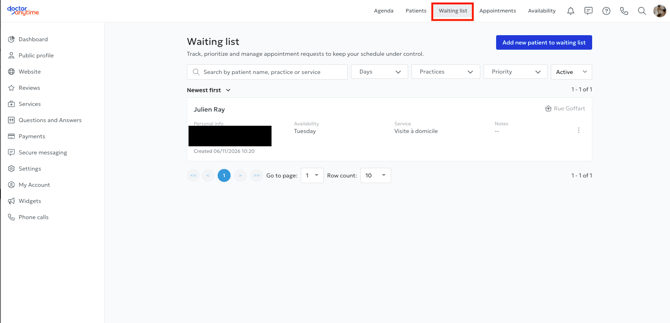
The Waiting List feature allows you to manage patients who would like an earlier appointment or who have not found an available time slot that matches their availability.
You can access this feature by clicking the Waiting List button in the top-right corner of your calendar.
Once patients have joined the waiting list, you can view and manage their requests from the same section.
What features are included?
- Manually add patients to your waiting list, view their information, and schedule appointments for them.
- Patients can add themselves to your waiting list through your profile when no online appointments are available.
- Automatic email notifications when a time slot becomes available that matches the patient's preferences.
How to change the waiting list settings
Click on Settings in the top-right menu.
Select the Waiting List tab.
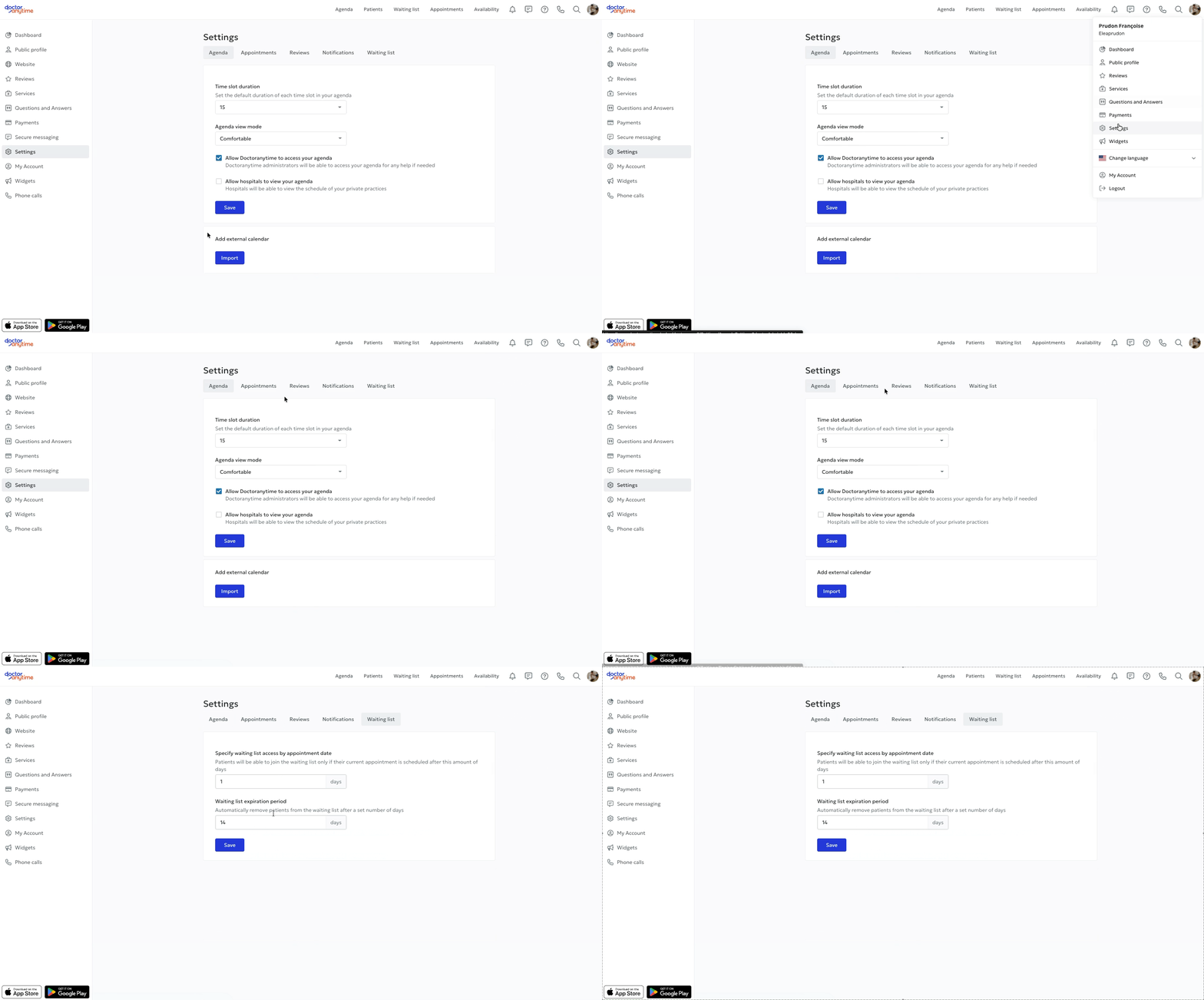
You can configure the following settings:
- Allow access to the waiting list based on the appointment date: This setting determines when a patient who already has an appointment can join the waiting list to find an earlier time slot.
For example, if you select 5 days, only patients whose appointment is scheduled more than 5 days away will have the option to join the waiting list.
- Waiting list expiration date: This setting automatically removes patients from the waiting list after a specified number of days.
This helps you keep your waiting list up to date and avoid keeping requests that are no longer relevant.
How are patients notified when a time slot becomes available?
When an appointment is cancelled or a new time slot becomes available, Doctoranytime can automatically send a notification to the relevant patients.
To receive a notification, the available time slot must match certain criteria, including:
- The selected practice location.
- The consultation type and required duration.
- The availability days specified by the patient.
If no availability days have been specified, the patient is considered available every day.
When is a patient removed from the waiting list?
A patient is automatically removed from the waiting list in the following situations:
- When an appointment is scheduled for them directly from the waiting list.
- When the period defined in the Waiting list expiration date setting has been reached.
You can also manually remove a patient from the waiting list at any time.