
- Log in to your Doctoranytime account
To access your Doctoranytime account, go to www.doctoranytime.be and select “Practitioner”. www.doctoranytime.be
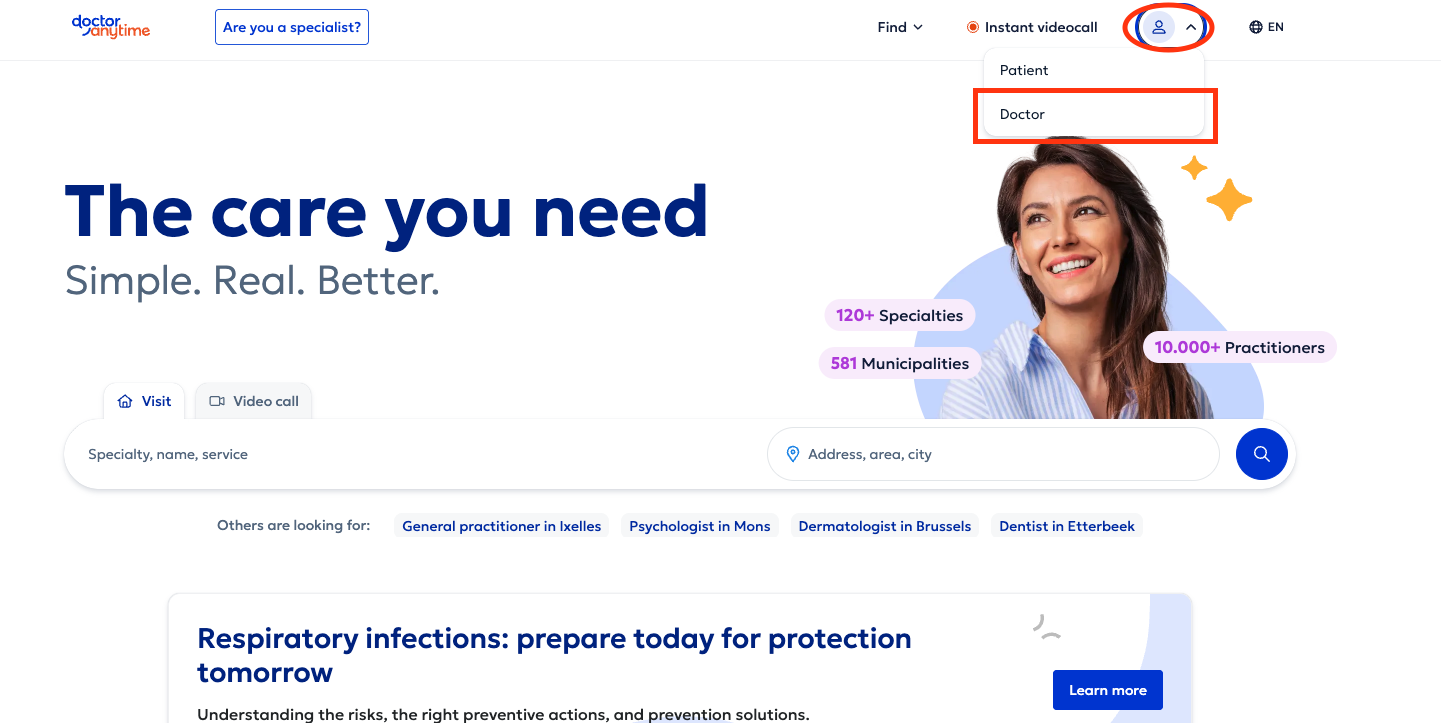
Login link: 1https://www.doctoranytime.be/en/account/login?loginType=1 Then enter your login details to access your agenda.
Forgot your password?
Click “Forgot your password” on the login page and follow the instructions to reset it.
If you cannot remember the email address or username linked to your account, contact our team at care@doctoranytime.be.
2. Access your account settings
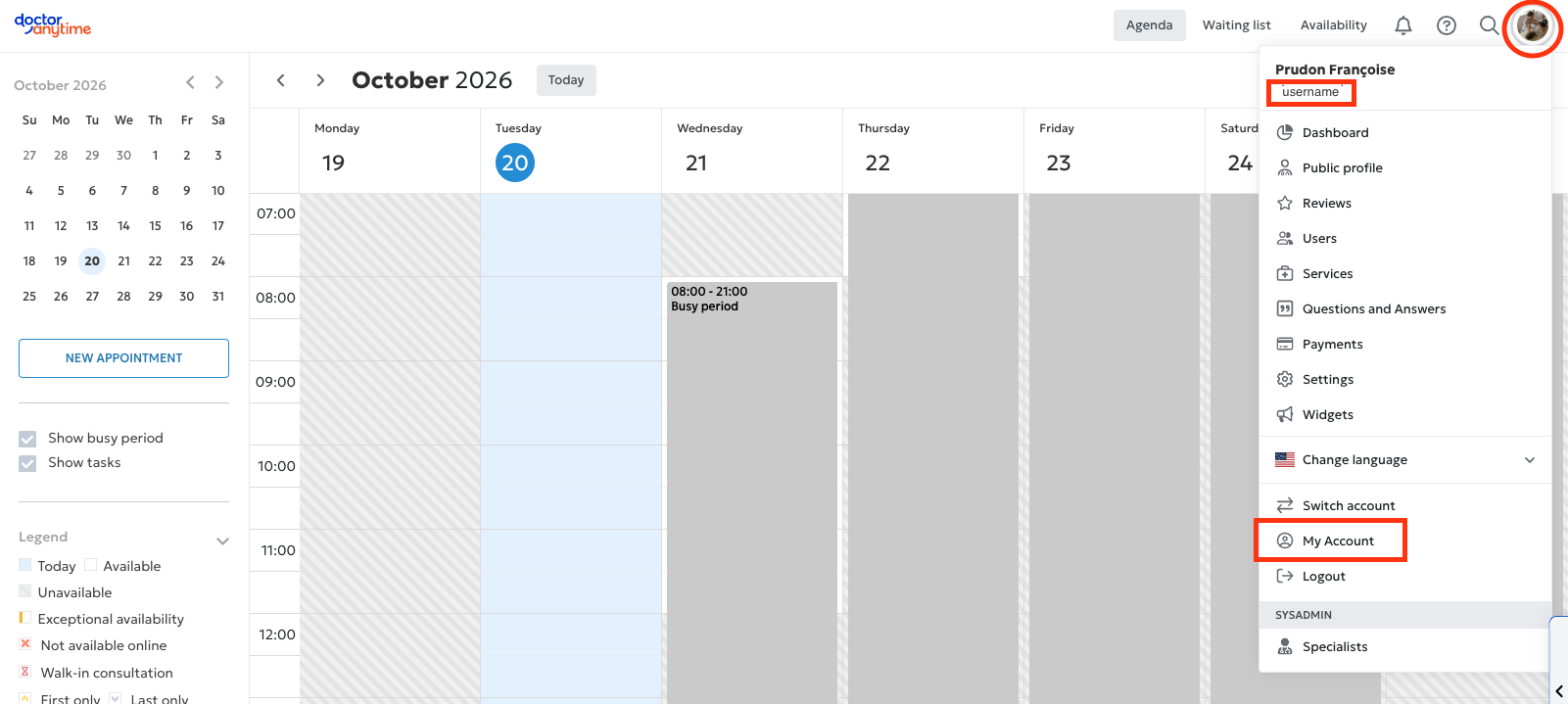
Once you have logged in to your agenda:
- Click your profile picture in the top-right corner of the screen.
- Select “My account” from the drop-down menu.
- You can then access your account details and settings.
Good to know: your Doctoranytime username is also displayed in this drop-down menu, directly below your name.
3. Change your account information
In “My account”, you can view and manage various personal details and login information.
You can:
- View your login email address: if you would like to change it, contact our team at care@doctoranytime.be. This is also the address where you receive notifications (including new appointment notifications).care@doctoranytime.be
Change your phone number: update your contact details directly in your account.
Change your password: set a new password in your account settings.
This makes it easy to keep your personal information and login details up to date.
This is only available on the web version.