---
title: How do I log in to the app?
description: If your subscription includes access to the Doctoranytime Agenda Belgium mobile app, you can log in to the practitioner app to view your agenda and manage…
---
[Skip to content](https://pro.doctoranytime.doctor/en-be/help-center/how-do-i-log-in-to-the-app#main-content)
- [English - Belgium](https://pro.doctoranytime.doctor/en-be/help-center/how-do-i-log-in-to-the-app)
- [Français - Belgique](https://pro.doctoranytime.doctor/fr-be/help-center/comment-se-connecter-a-lapplication)
- [Nederlands - België](https://pro.doctoranytime.doctor/nl-be/help-center/hoe-meld-ik-me-aan-in-de-app)
English - Belgium
Show submenu for translations
[](https://www.doctoranytime.be/en)
Open main navigation
Close main navigation
- - [English - Belgium](https://pro.doctoranytime.doctor/en-be/help-center/how-do-i-log-in-to-the-app)
- [Français - Belgique](https://pro.doctoranytime.doctor/fr-be/help-center/comment-se-connecter-a-lapplication)
- [Nederlands - België](https://pro.doctoranytime.doctor/nl-be/help-center/hoe-meld-ik-me-aan-in-de-app)
English - Belgium
Show submenu for translations
- [Contact us](https://pro.doctoranytime.be/en/en/contactus)
[Contact us](https://pro.doctoranytime.be/en/en/contactus?hsLang=en-be)
How can we help you?
- There are no suggestions because the search field is empty.
1. [Doctoranytime Help Center](https://pro.doctoranytime.doctor/en-be/help-center?hsLang=en-be)
2. [Getting started](https://pro.doctoranytime.doctor/en-be/help-center/getting-started?hsLang=en-be)
# How do I log in to the app?
If your subscription includes access to the Doctoranytime Agenda Belgium mobile app, you can log in to the practitioner app to view your agenda and manage appointments. For information about your subscription and app access, contact your account manager at care@doctoranytime.be.
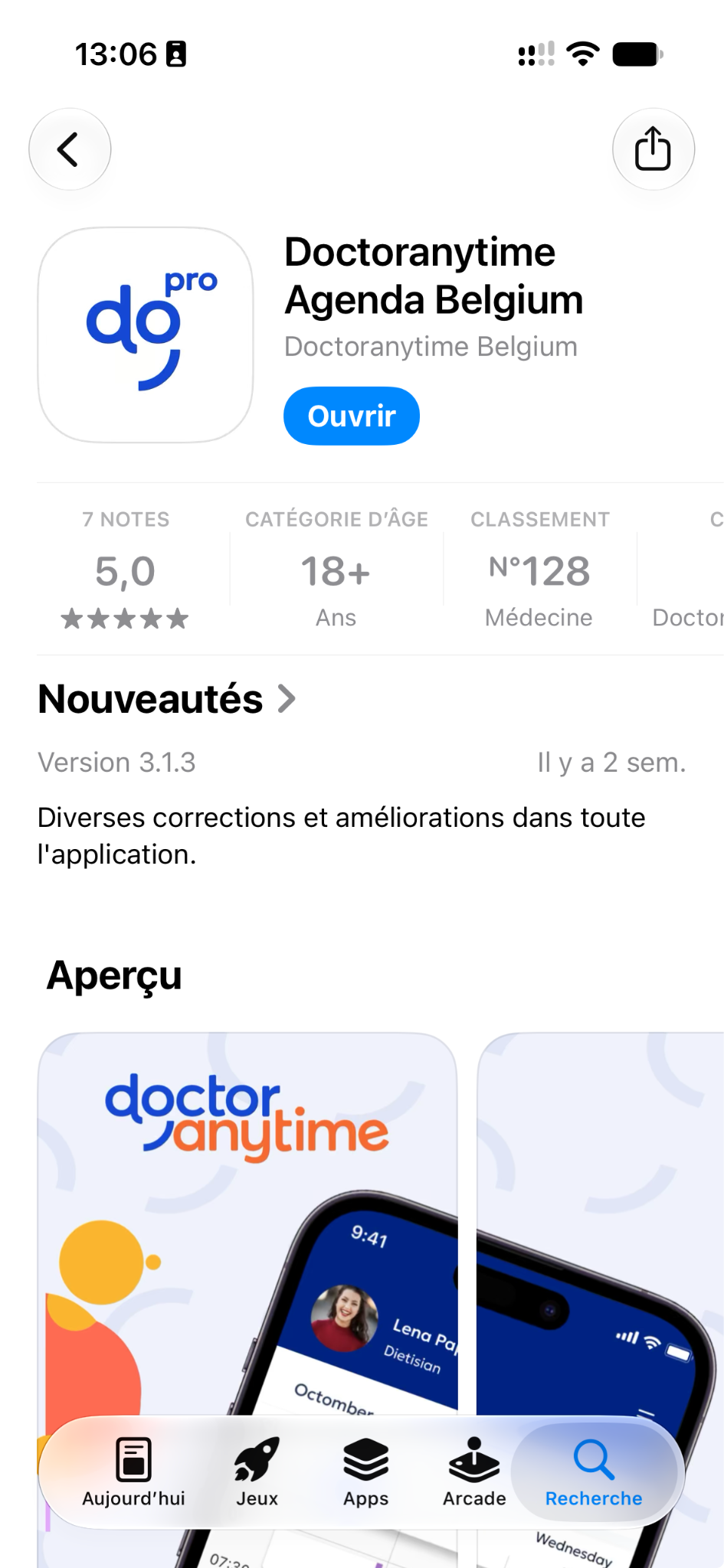
- Download the app from the App Store or Play Store.
- Log in using the same username and password as on your computer.
Important: Your username is not your email address. It is the username you chose when creating your
account. If you have forgotten it, contact care@doctoranytime.be to request a new activation link, which will let you choose a new username and password.
- [Getting started](https://pro.doctoranytime.doctor/en-be/help-center/getting-started?hsLang=en-be)
- [Account and subscription](https://pro.doctoranytime.doctor/en-be/help-center/account-and-subscription?hsLang=en-be#main-content)
- [Account](https://pro.doctoranytime.doctor/en-be/help-center/account-and-subscription?hsLang=en-be#account)
- [Subscription](https://pro.doctoranytime.doctor/en-be/help-center/account-and-subscription?hsLang=en-be#subscription)
- [Profile and visibility](https://pro.doctoranytime.doctor/en-be/help-center/profile-and-visibility?hsLang=en-be#main-content)
- [Online profile](https://pro.doctoranytime.doctor/en-be/help-center/profile-and-visibility?hsLang=en-be#online-profile)
- [Visibility](https://pro.doctoranytime.doctor/en-be/help-center/profile-and-visibility?hsLang=en-be#visibility)
- [Practices](https://pro.doctoranytime.doctor/en-be/help-center/profile-and-visibility?hsLang=en-be#practices)
- [Managing my services](https://pro.doctoranytime.doctor/en-be/help-center/managing-my-services?hsLang=en-be)
- [Managing my agenda](https://pro.doctoranytime.doctor/en-be/help-center/managing-my-agenda?hsLang=en-be#main-content)
- [Availability](https://pro.doctoranytime.doctor/en-be/help-center/managing-my-agenda?hsLang=en-be#availability)
- [Appointments](https://pro.doctoranytime.doctor/en-be/help-center/managing-my-agenda?hsLang=en-be#appointments)
- [SMS](https://pro.doctoranytime.doctor/en-be/help-center/managing-my-agenda?hsLang=en-be#sms)
- [Tasks](https://pro.doctoranytime.doctor/en-be/help-center/managing-my-agenda?hsLang=en-be#tasks)
- [Agenda display](https://pro.doctoranytime.doctor/en-be/help-center/managing-my-agenda?hsLang=en-be#agenda-display)
- [Agenda synchronisation](https://pro.doctoranytime.doctor/en-be/help-center/managing-my-agenda?hsLang=en-be#agenda-synchronisation)
- [Users](https://pro.doctoranytime.doctor/en-be/help-center/managing-my-agenda?hsLang=en-be#users)
- [Managing my patients](https://pro.doctoranytime.doctor/en-be/help-center/managing-my-patients?hsLang=en-be#main-content)
- [Patients](https://pro.doctoranytime.doctor/en-be/help-center/managing-my-patients?hsLang=en-be#patients)
- [Payment](https://pro.doctoranytime.doctor/en-be/help-center/payment?hsLang=en-be)
- [Video consultation](https://pro.doctoranytime.doctor/en-be/help-center/video-consultation?hsLang=en-be)
- [Data security](https://pro.doctoranytime.doctor/en-be/help-center/data-security?hsLang=en-be)
- [Medical centres](https://pro.doctoranytime.doctor/en-be/help-center/medical-centres?hsLang=en-be)
[](http://www.doctoranytime.be)
[mailto:email@email.com](mailto:email@email.com)
Copyright © 2025, Doctoranytime